Upscale GIF with AI — 2× Resolution, Sharper Edges
Small GIFs from the 2000s deserve better. Real-ESRGAN enlarges your clip 2× while restoring edges and cleaning compression noise — honestly 2×, not magic.
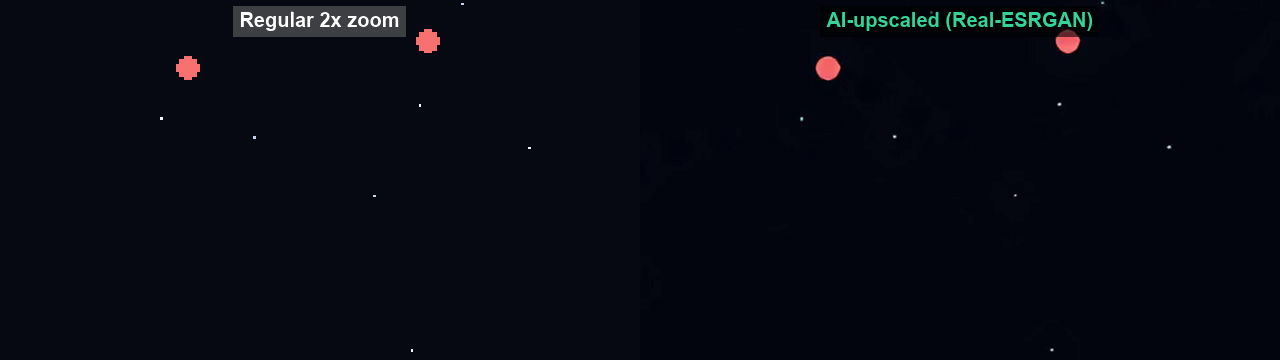
Real upscale comparison
A zoomed crop of the same frame — regular 2× resizing (left) vs our AI output (right). Notice the edges and pixel art detail.
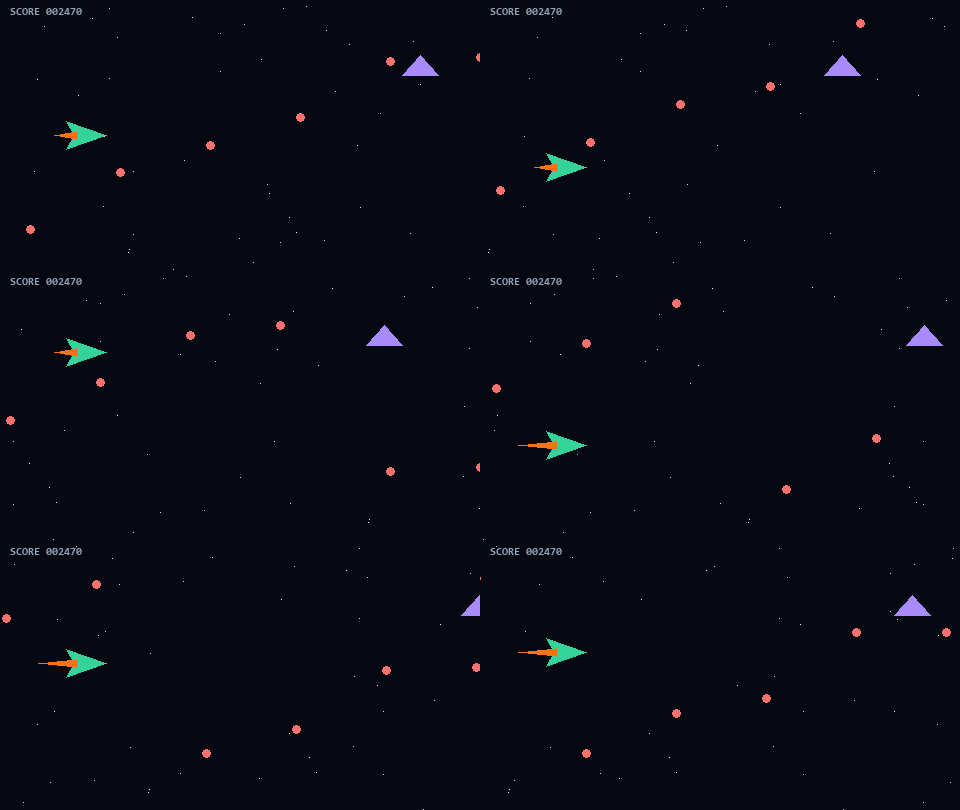 BEFORE · 480×270
What upscaling is actually good for
Small clips on big screens
A 480×270 clip looked fine on a 2008 monitor; on a 1440p laptop it's a blur. 2× upscaling restores edge definition so the same content sits comfortably on modern displays.
Avatars and thumbnails blown up
Forum-era avatars and preview thumbnails get reused at sizes far beyond their pixels. Upscaling before use beats letting the browser blur-stretch them.
Honest limits
The model reconstructs plausible detail — it cannot recover what the source never captured. A 100px logo won't become print-quality; expect sharper edges and cleaner textures, not new information.
Cost reality
Upscaling is charged by output pixels and duration, which is why the pricing is duration-tiered. Trim the clip to the part you actually need first — it's the difference between 2 and 8 credits. Trim first (free) →
Try it now — 1 free run per day
Your GIF converts to MP4 locally, then AI upscales it 2× with detail restoration.
New here? Get 50 free AI credits
Leave your email and it’s instantly registered for 50 free AI credits when you sign up with it — no spam, one email ever.
True 2× upscaling
480×270 → 960×540 with edge definition that survives modern screens.
Artifact cleanup
Removes JPEG-style blocks, dithering noise and banding common in old GIFs.
Anime & pixel art modes
Specialized models for line art and sprites that generic upscalers destroy.
Frequently Asked Questions
Can you really make a small GIF high-resolution?
⌄
AI upscaling reconstructs plausible detail: edges sharpen, noise disappears, and textures become convincing. It can't invent detail that was never captured, but the visual improvement on old GIFs is dramatic.
What's the maximum output resolution?
⌄
2× the source resolution — e.g. 480×270 in, 960×540 out. The model restores edges and detail, but it can’t invent information the source never had; small inputs stay small outputs.
Does it work on pixel art and anime GIFs?
⌄
Yes — dedicated models preserve crisp lines and flat color regions instead of blurring them.
How much does upscaling cost?
⌄
From $9/month for 100 AI credits (1 credit = 1 upscale). New accounts get free trial credits to test on their own files.
Can I upscale and add 60fps at the same time?
⌄
Yes, Pro plans can chain both enhancements in a single job.
Meanwhile, the free GIF to video converter is live — no signup needed.